Screenshots only tell you so much. So we've put our real apps on the website, running in your browser on pretend data, for you to try before you install anything. They're not mock-ups or videos: each one is the app itself, with its connection to the outside world swapped for a pretend one.
Zopi Phone
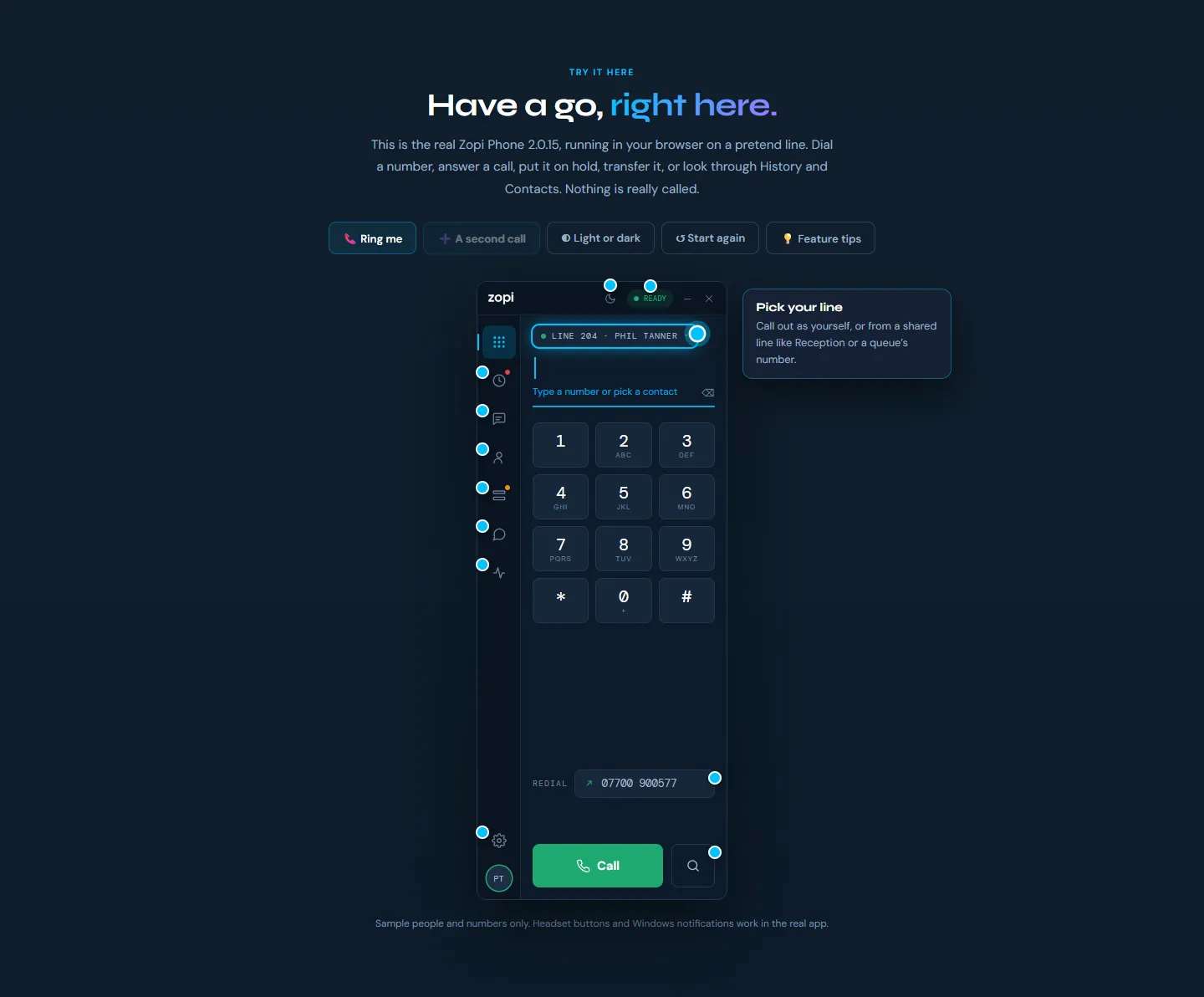
On the Zopi Phone download page, the real app runs on a pretend line:
- Press Ring me to take an incoming call, then put it on hold, transfer it or hang up
- Try a second call coming in while you're on the first
- Look around: call history, recordings and transcripts, contacts, lines and queues, and settings
- Switch between light and dark
New this week: feature tips. Glowing dots on the phone explain each feature when you hover over them, from picking which line you call out on to the CRM, transcription and privacy settings. Turn them off with the Feature tips button.
Zopi Guard
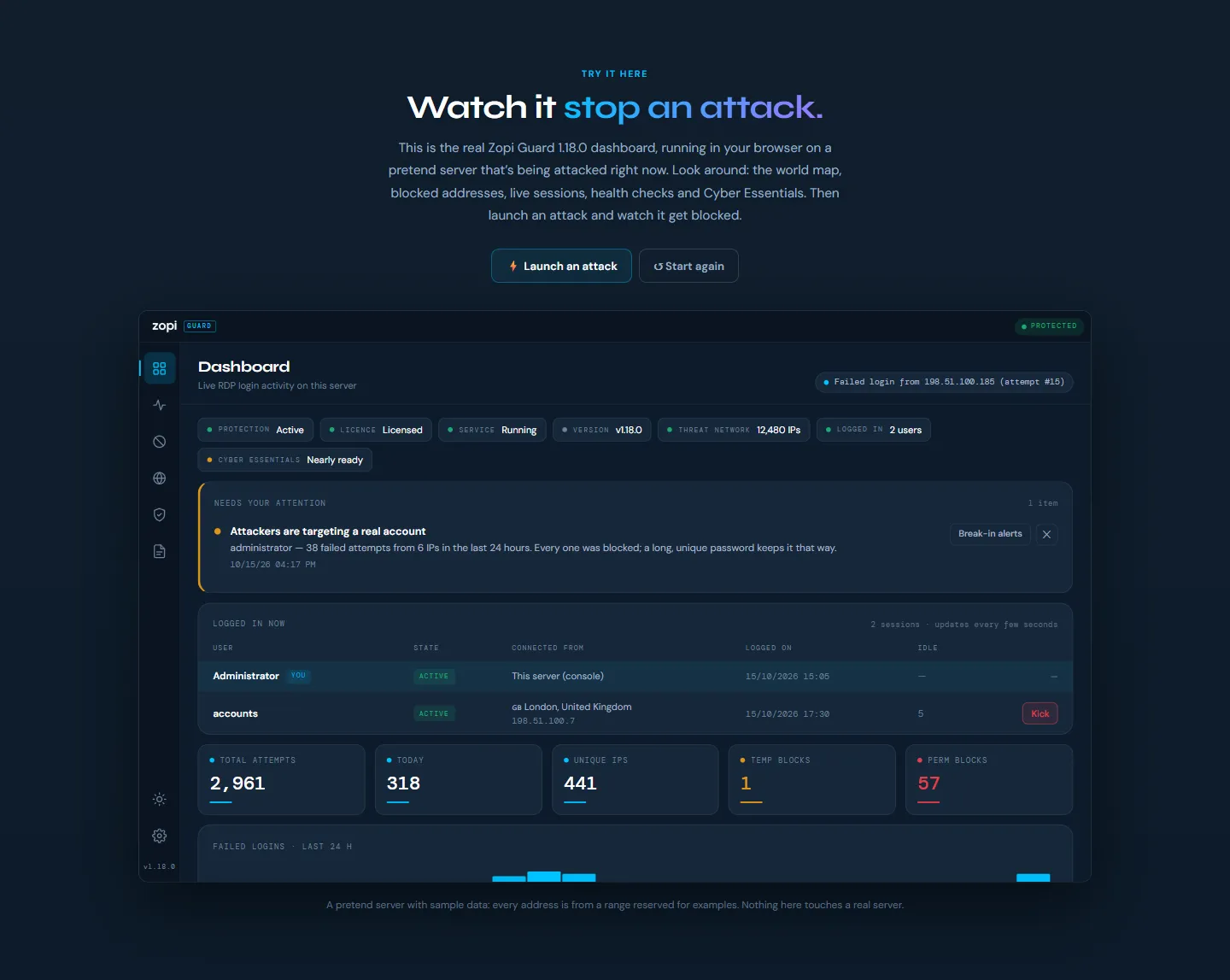
On the Zopi Guard page, look around the real dashboard of a pretend server that's under attack: the world map, blocked addresses, live sessions, health checks and Cyber Essentials. Then press Launch an attack and watch Guard spot it and block it. Every address in the demo comes from a range reserved for examples, so nothing touches a real server.
Zopi Remote
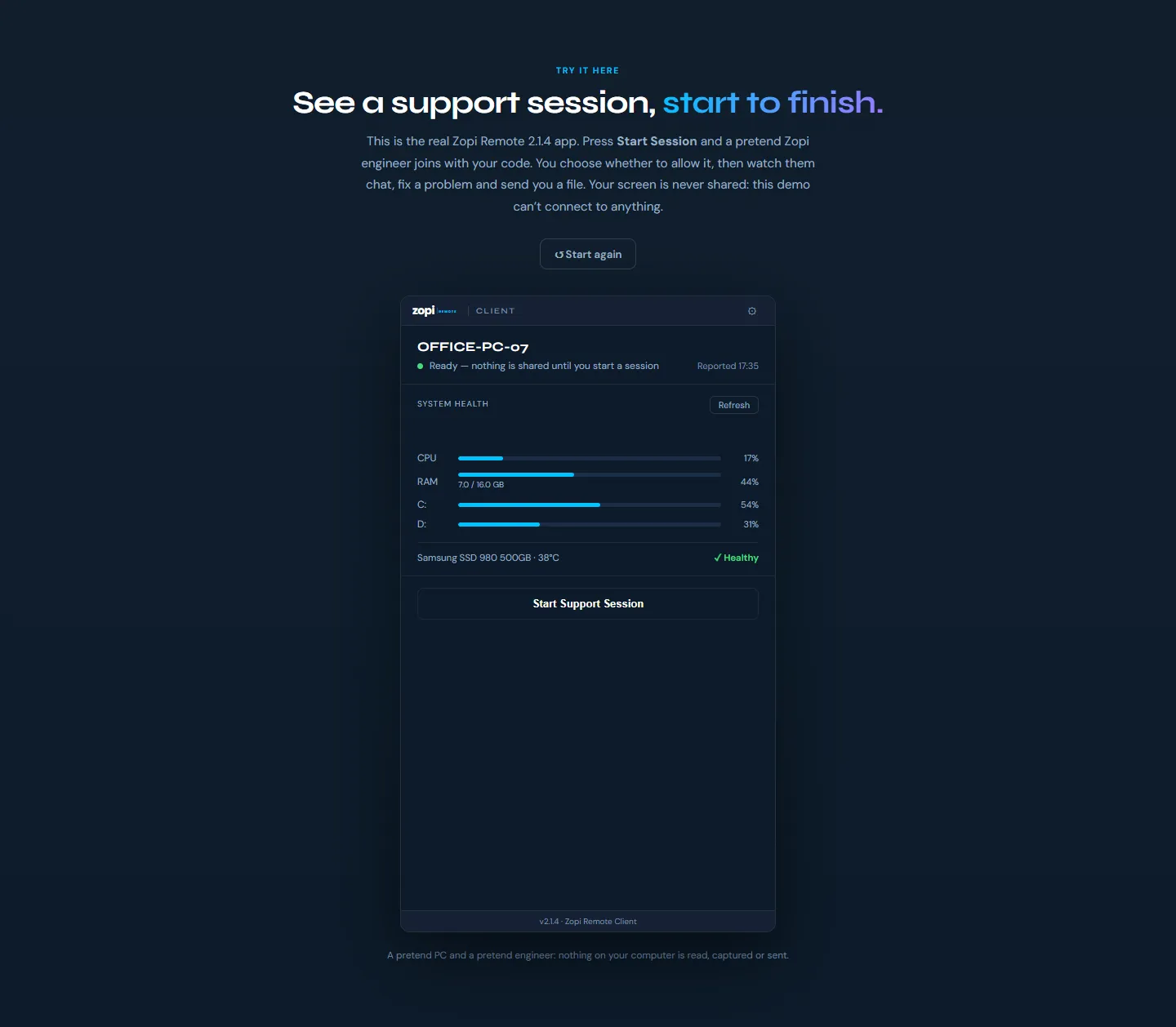
On the Remote Support page, see what a support session looks like from your side:
- Start a session and read out the six-digit code, as you would to us on the phone
- A pretend Zopi engineer connects, and you choose whether to allow it
- Watch them chat with you, fix a problem and send you a file
It's the clearest way to see that you stay in control: nothing is shared until you say so, and the session ends when you close it.
Nothing leaves your browser
The demos can't make calls, block anything or connect to anyone. They use sample people, numbers and addresses only, so you can click anything you like.
Find all three on the Apps menu, or call us on 0204 502 1288 if you'd like us to walk you through one.