Zopi Guard watches every login attempt on your Windows servers and blocks attackers at the firewall, automatically. We built it for the servers we look after. Now it can look after yours.
Starts on a 30-day free trial by itself, with no card needed. Run it as administrator on the server you want to protect.
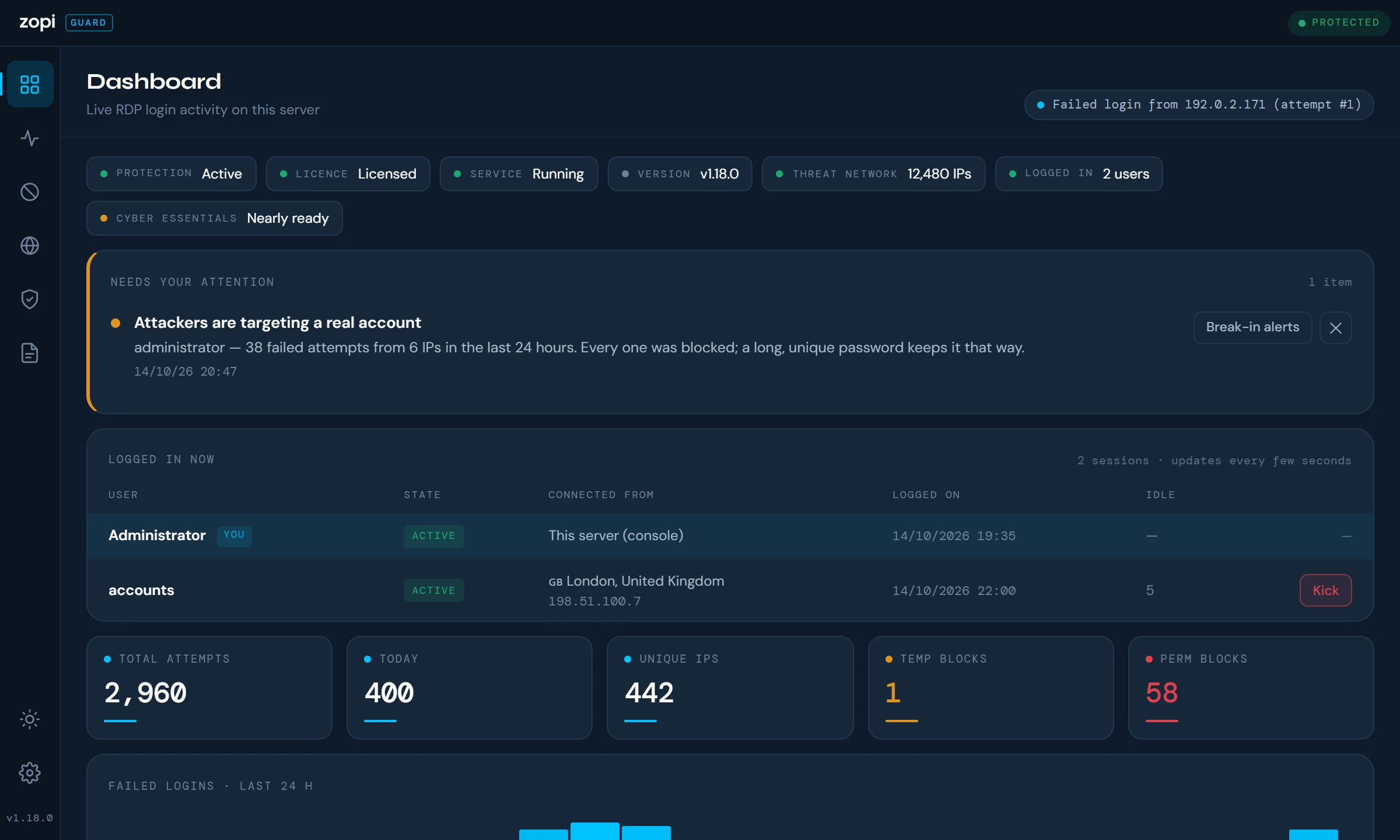
This is the real Zopi Guard 1.18.0 dashboard, running in your browser on a pretend server that’s being attacked right now. Look around: the world map, blocked addresses, live sessions, health checks and Cyber Essentials. Then launch an attack and watch it get blocked.
A pretend server with sample data: every address is from a range reserved for examples. Nothing here touches a real server. It’s a desktop app, so it’s easiest to explore on a bigger screen.
Servers open to the internet get thousands of password guesses a day. Zopi Guard spots them as they happen, shuts the attacker out of the whole server, and tells you when something needs a person.
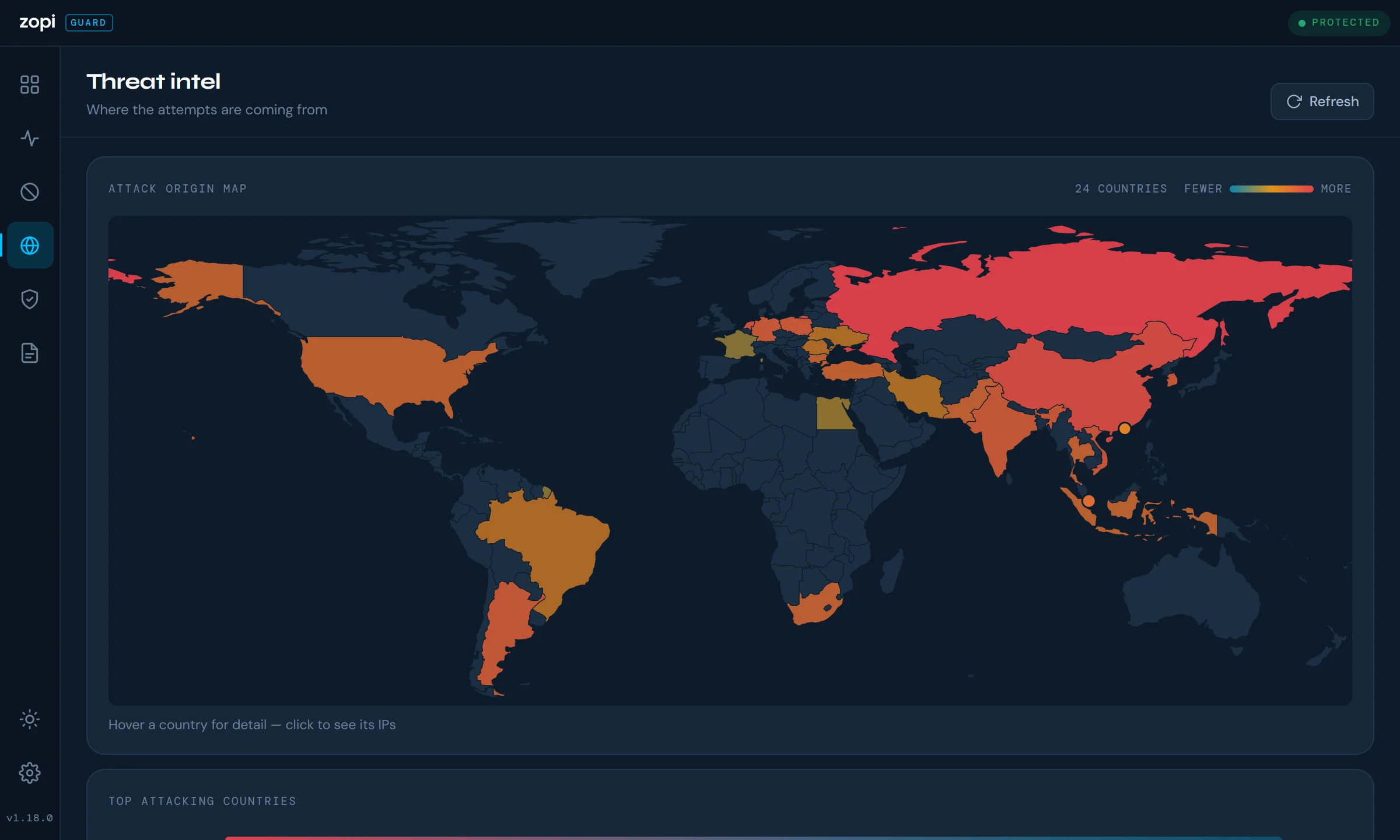
Reads the Windows Security log in real time and blocks an attacking IP in Windows Firewall after the number of failures you choose, first for a while, then for good.
Also protects SQL Server, IIS (including Exchange ActiveSync, EWS and Autodiscover), OpenSSH and FTP. A blocked IP is shut out of the whole server, not just the service it attacked.
An attacker seen at two or more organisations is blocked on every Zopi Guard server. The shared list is signed by Zopi and checked, and usernames are never sent.
An email when an account signs in from a country it has never used, or straight after a run of failures that looks like a guessed password. It can end that session for you.
Only allow Remote Desktop from the countries you choose. It never locks out your allowed IPs or anyone connected right now, and warns you before you lock yourself out.
Anyone who has signed in successfully is trusted for a while, so one phone with an old password can’t get a whole office blocked. Typos weeks apart never add up to a block.
Checks the server against the five Cyber Essentials controls, with a plain-English fix for anything that would fail. One-click fixes explain what they change and ask first.
Emailed on the 1st: the month’s attacks, blocks, countries, break-in alerts and Cyber Essentials readiness. Ready to share with an insurer or auditor.
Updates itself from Zopi, even when nobody is signed in. Every update is signed and checked, and only installs when the server is quiet or in your maintenance window.
Every new install protects the server from the moment it starts, on a 30-day free trial. No key, no card.
Each server uses one licence seat, at £5 a month, or free with Zopi IT support. Your key is in the Zopi client portal, and silent installs can include it.
The licence checks in once a day. If it lapses you get 14 days’ grace and a warning, and IPs already blocked always stay blocked.
2016, 2019, 2022 or 2025, 64-bit. Remote Desktop, SQL Server, IIS, OpenSSH and IIS FTP are all covered where they’re installed.
Zopi Guard blocks attackers with Windows Defender Firewall rules, so the firewall needs to be switched on.
To install. After that it runs as a Windows service under SYSTEM and protects the server before anyone signs in.
Port 443 to zopi.uk and updates.zopi.uk, for the licence check-in, the threat network and updates.
Everything you need to install Zopi Guard on a server, roll it out across several, and keep it running.
zopi.uk and updates.zopi.uk, for the licence check-in, the threat network and automatic updates.ZG-XXXX-XXXX-XXXX-XXXX, if you have one. Without a key, every new install starts a 30-day free trial on its own.Zopi Guard Setup X.Y.Z.exe to the server.New installs protect the server on a 30-day trial straight away. To use your licence instead, open Settings → Licence, enter your key and click Activate. Your key is in the Zopi client portal, or ask us on connect@zopi.uk.
Each server uses one seat. Reinstalling Zopi Guard on the same server reuses its seat rather than taking another.
Run the installer elevated, as SYSTEM or an administrator, with /S for a silent install. Add the licence key to activate it in the same step:
"Zopi Guard Setup X.Y.Z.exe" /S /LICENCE=ZG-XXXX-XXXX-XXXX-XXXXThe key is handed to the service, which activates it when it starts and then deletes the copy it was given. Leave out /LICENCE= to start on the trial.
192.168.1.0/24. Allowed IPs are never blocked, whatever they do.Then open the Security health page. It checks the server against good practice and the Cyber Essentials controls, and the one-click fixes explain what they change and ask before doing anything.
From version 1.10.0, the service checks updates.zopi.uk every few hours. Every update is signed by Zopi and checked before it installs. It waits until there have been no failed logins for five minutes and, if you've set one, until the maintenance window. Firewall blocks stay in place throughout; only new detections pause, for a few seconds.
The result is written to the Windows event log as UPDATED or UPDATE FAILED. Servers on a version older than 1.10.0 need one manual install of the latest version, after which they update themselves.
sc query ZopiGuard in an administrator command prompt, or open Settings → Windows Service in the app.C:\ProgramData\ZopiGuard\service.log. The app's Logs page shows the same events.ZopiGuard_Block_ firewall rules by hand: Zopi Guard rebuilds them from its own list every 30 minutes.We can install and look after Zopi Guard on your servers as part of managed support, or help your own IT team roll it out.
