On 20 October Google announced new scam protections for Chrome. The most useful one for businesses catches a trick called ClickFix, one of the most common ways attackers now get malware onto office computers. There's a catch: the new warnings only work with Chrome's Enhanced protection switched on.
What is ClickFix?
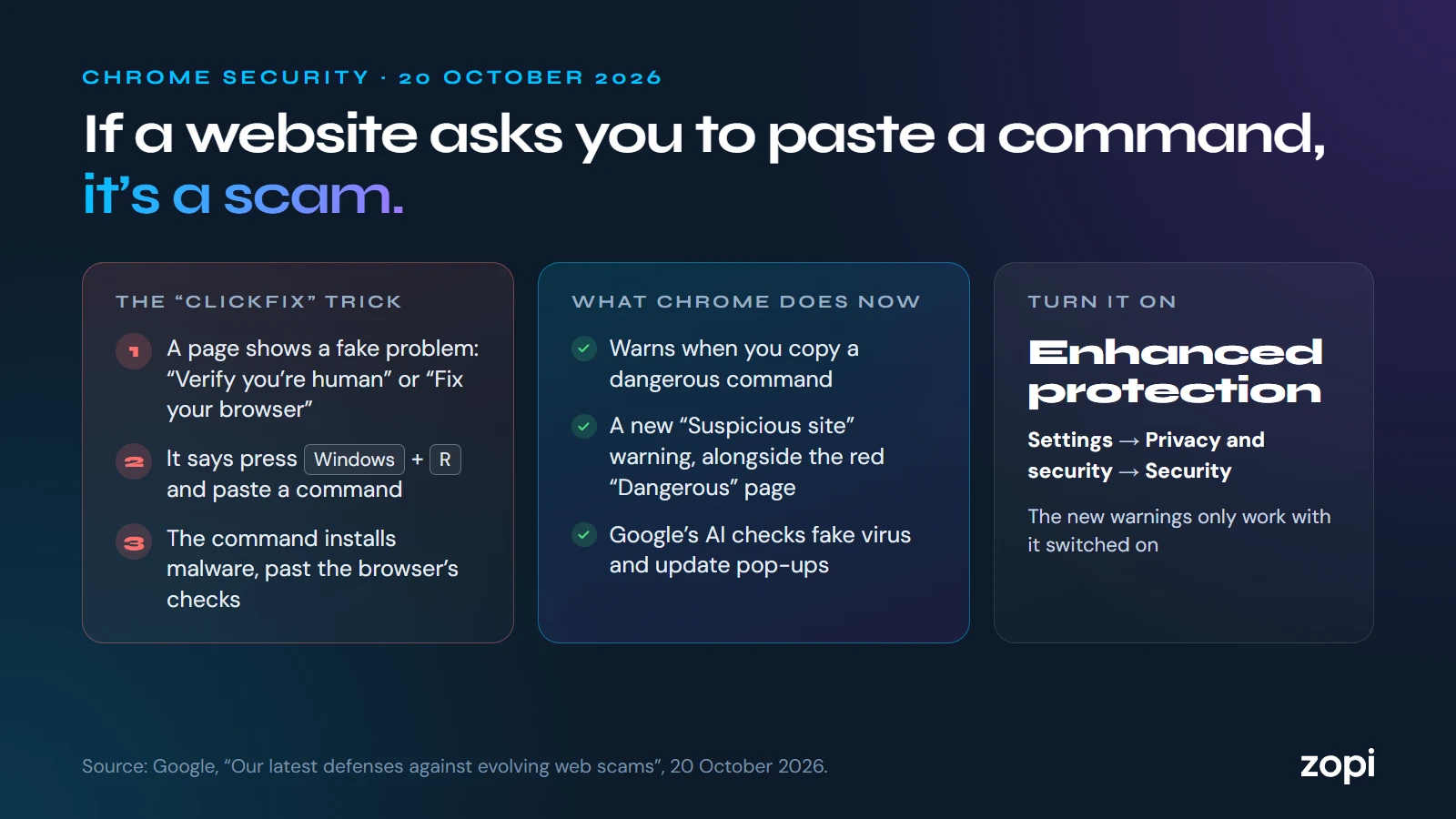
A web page shows a fake problem: "Verify you're human", "Your browser needs fixing", or a document that "can't be displayed". To fix it, you're told to copy a command and paste it into Windows' Run box or PowerShell. The command you paste usually isn't the one shown on the screen. It quietly downloads malware, and because you ran it yourself, it slips past the browser's download checks.
The simple rule: no genuine website, and not Chrome itself, will ever ask you to paste a command to fix something. If a page tells you to press Windows + R, close it.
What Chrome does now
With Enhanced protection switched on:
- It spots dangerous commands. If you copy a command from a page and it looks harmful, Chrome warns you before you use it.
- Two kinds of warning. Sites Chrome is sure about still get the full red "Dangerous" page. A new, lighter "Suspicious" warning appears for sites that look like known scams, so you can decide quickly.
- Better at fake virus and update pop-ups. Google's Gemini AI now checks pages that look like fake antivirus or "update your browser" scams, for everyone with Enhanced protection.
Google says people with Enhanced protection are "ten times safer" from phishing and scams than those on standard protection. It says page text is only sent for checking when a site shows strong signs of being a scam, and isn't kept or used to train its AI.
How to turn it on
In Chrome, go to Settings, then Privacy and security, then Security, and choose Enhanced protection. It takes a minute. For a whole office, it can be switched on centrally for every computer, so nobody has to remember.
How Zopi can help
We look after small businesses' cyber security day to day. We can switch Enhanced protection on across your office, and show your team what these scams look like so they spot the next one. Call us on 0204 502 1288 for a free, no-obligation chat.
Sources
- Our latest defenses against evolving web scams, Google, 20 October 2026