If your phones are with Zopi, some jobs only come up now and then: a new starter, someone leaving, a change to your opening hours. It's easy to forget how they're done in between. So we've made short how-to videos that show each one in the client portal, step by step. Each is under a minute long and sits right beside the button it explains.
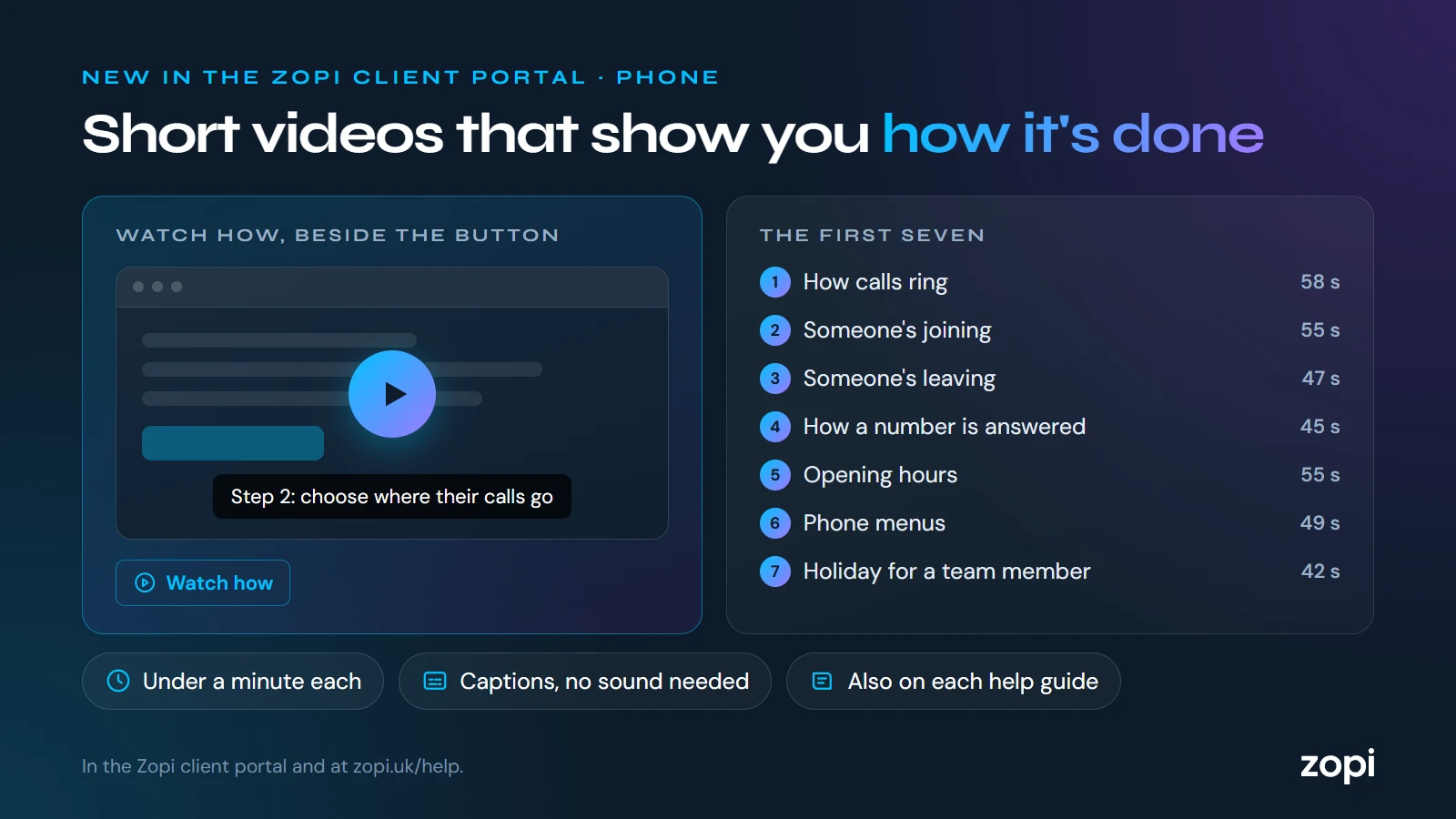
Seven jobs, shown start to finish
The first videos cover the jobs managers ask us about most:
- How calls ring: which phones ring, for how long, and where missed calls go. Then watch a call play through.
- Someone's joining: add a new starter with their login, what they can do, a phone extension and numbers, then send their invite.
- Someone's leaving: pass on their calls, numbers and voicemails, remove their phones, and keep their extension as a spare.
- How a number is answered: one person, a team or a phone menu, how long callers wait, and what happens when you're closed.
- Opening hours: your times, bank holidays and closed dates, and closing the phones in one click.
- Phone menus: build a "press 1 for sales" menu, with a greeting read out for you.
- Holiday for a team member: the dates, where their calls go, and it all switching back by itself.
Watch with the sound off
The videos have no sound. Captions on screen explain each step, so you can watch one in a busy office or on your phone without headphones. They use a made-up company, so what you see matches the screens you'll use, without anyone's real details.
Where to find them
In the portal, look for Watch how next to the job, for example on People, Numbers, Opening hours and Phone menus. Each video also plays at the top of its guide in our help centre, such as someone is leaving, opening hours and going on holiday.
What to do next
- Managers: watch the joining and leaving videos before you next need them;
- New starters: share the help centre link so they can find answers themselves;
- Stuck on a step? Raise a support request and we'll do it with you.
How Zopi can help
Prefer us to make the change for you? Raise a support request in the client portal or call us on 0204 502 1288. Not with Zopi for your phones yet? Have a look at our business phone systems.