Since 18 November, Microsoft has been installing the latest version of Windows 11, called 26H2, on computers by itself. It started with personal computers and business computers that no IT company manages. That's mostly good news: 26H2 keeps getting security fixes until October 2028. But it's also a good moment to check every computer in the office, because some older versions of Windows 11 have already stopped getting security fixes.
What Microsoft has started doing
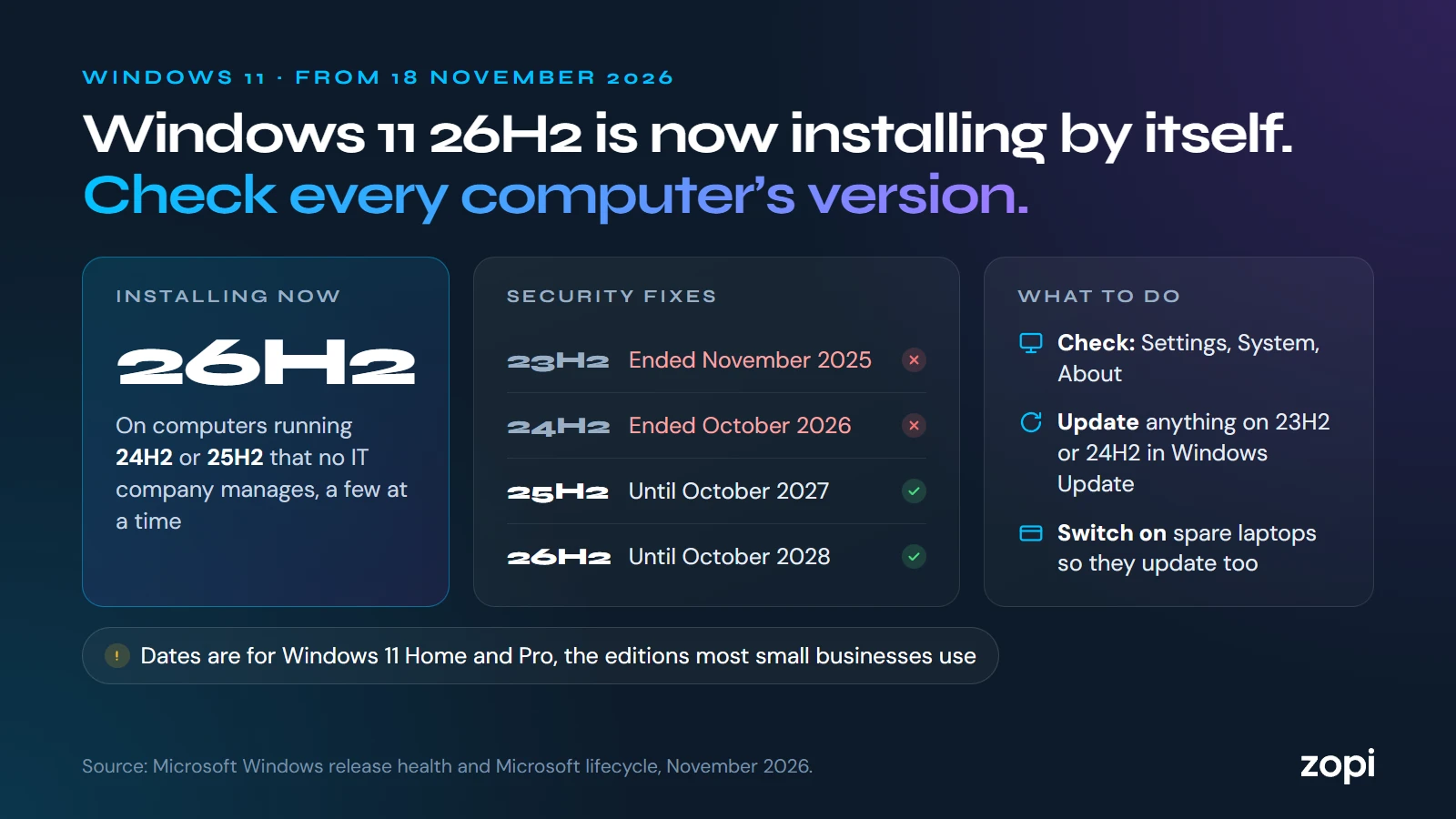
Windows 11 26H2 came out on 29 September. On 18 November, Microsoft began offering it automatically to computers running versions 24H2 and 25H2 that aren't managed by an IT department. It's being rolled out gradually, so not every computer will get it at once, and it depends on each computer's Windows Update settings. Microsoft says it installs quickly, and it brings together the features added in 24H2 and 25H2.
If an IT company manages your computers, it decides when 26H2 goes on, so this won't happen by itself.
Why your version matters
Each version of Windows 11 only gets security fixes for a set time. For the Home and Pro editions most small businesses use, that's two years. Microsoft's own dates are:
- Version 23H2: security fixes ended in November 2025;
- Version 24H2: security fixes ended in October 2026;
- Version 25H2: fixes continue until October 2027;
- Version 26H2: fixes continue until October 2028.
A computer still on 23H2 or 24H2 Home or Pro is no longer getting fixes for new flaws, even though it may look up to date. That matters: Microsoft fixed more than 1,000 flaws this month alone, as our post on the November updates explains.
How to check a computer
It takes under a minute on each one:
- Open About: right-click Start, choose Settings, then System, then About;
- Look under Windows specifications: it shows the Edition (Home, Pro and so on) and the Version, such as 25H2;
- Write it down: a simple list of each computer, who uses it and its version makes the next step easy.
What to do this month
- Update anything on 23H2 or 24H2: go to Settings, then Windows Update, choose Check for Windows updates, and if 26H2 is offered, choose Download and install;
- Pick a quiet time: save your work first, as the update needs a restart to finish;
- Don't forget spare laptops: a computer left in a drawer misses every update until it's switched on and connected;
- Ask about any computer that won't update: some older ones can't move on, and those need looking at before they cause a problem.
How Zopi can help
If Zopi looks after your computers, ask us and we'll check which version each one is on and plan the move to 26H2 at a time that suits you. Not with Zopi yet? Our managed IT support keeps Windows and Microsoft 365 up to date for you, so you don't have to check each machine. Call us on 0204 502 1288 for a free, no-obligation chat.
Sources
- Windows 11, version 26H2 known issues and notifications, Microsoft, updated 19 November 2026
- Windows 11 Home and Pro lifecycle, Microsoft
- Windows 11 release information, Microsoft
- Which version of Windows am I running?, Microsoft Support
- Microsoft now automatically installs Windows 11 26H2 on personal and unmanaged PCs, BleepingComputer, 20 November 2026