On Thursday 12 November, a large Microsoft 365 outage stopped many businesses getting to Outlook, Teams and SharePoint, and it took until the next afternoon for email to catch up. Microsoft says it wasn't a cyber attack. But moments like this are when criminals pose as "IT support", ringing staff to offer help and asking for a password or a code. Microsoft has been tracking exactly this kind of scam since May. Here's what happened, and what to tell your team.
What happened last week
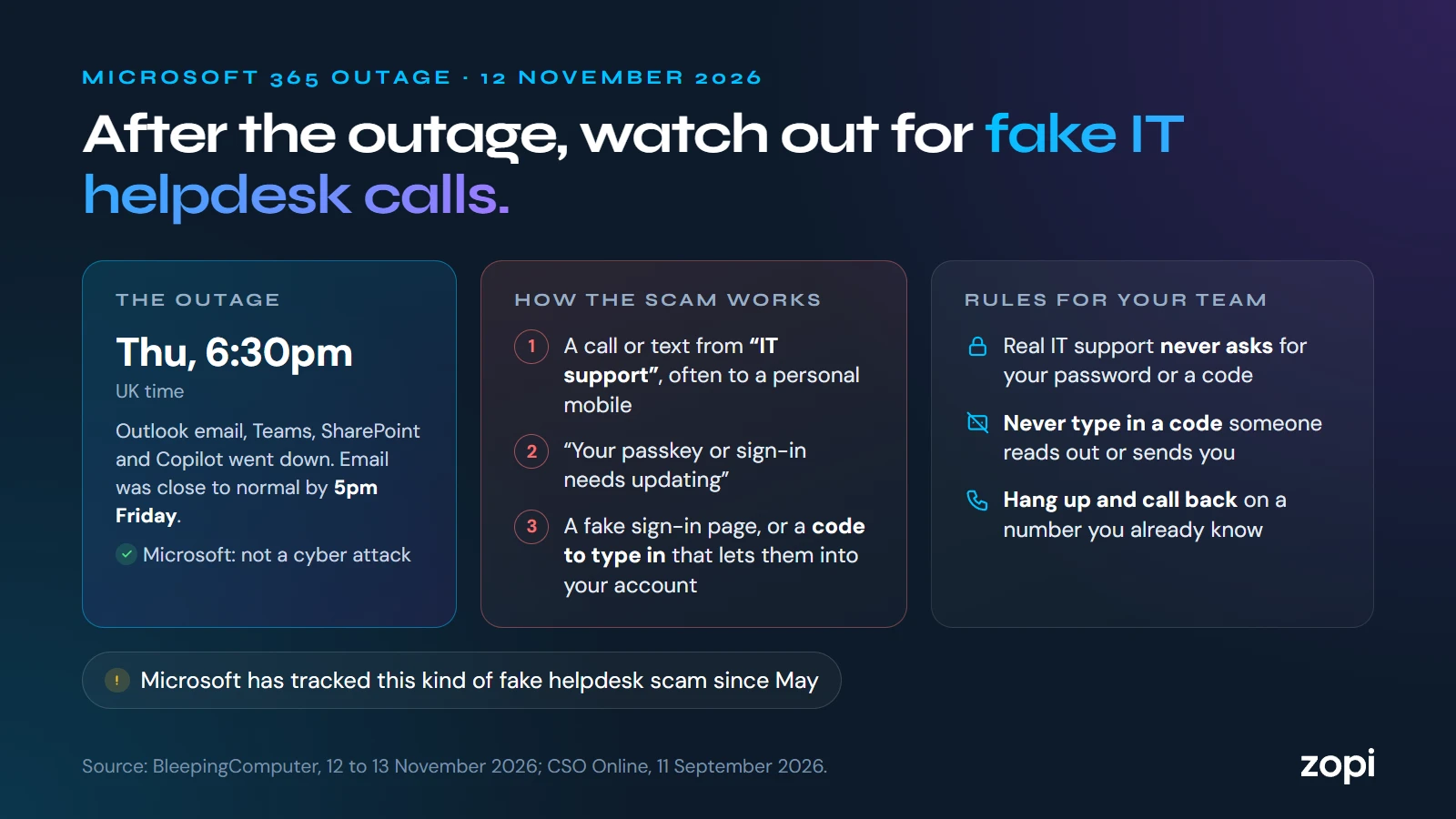
The trouble started at about 6:30pm UK time on Thursday 12 November. BleepingComputer reports that Microsoft confirmed problems connecting to Exchange Online (Outlook email), Teams, SharePoint, Microsoft 365 Copilot and Defender. Microsoft first blamed heavy load on its systems, then said a number of its servers had become unexpectedly unavailable.
By the next day, Microsoft said it had found "no indication that the outage was caused by malicious or cyber activity". Email queues were close to normal by about 5pm on Friday. Microsoft also gave delayed emails up to 48 hours to arrive, so most messages sent during the outage should have turned up late rather than bounced.
Why scammers love an outage
When email and Teams stop working, staff expect to hear from IT. That makes a call from "the helpdesk" feel normal, and people are more willing to do what they're asked to get working again.
Microsoft's security researchers have been watching a campaign that works this way since May, as reported by CSO Online:
- The call: someone claiming to be IT support rings or messages an employee, often on their personal mobile. Some messages come through Teams from an account that has already been taken over;
- The story: your passkey, two-step sign-in or login settings "need updating";
- The trap: you're sent to a page that looks like a Microsoft sign-in, or asked to type a code into a real Microsoft page. That code quietly lets the criminal into your account;
- What happens next: they add their own phone or app to your account so they can keep signing in, then read your email and files in Outlook, SharePoint and OneDrive.
Three rules to share with your team
- Real IT support never asks for your password or a sign-in code. Not by phone, text, email or Teams;
- Never type in a code someone reads out or sends to you, even on a genuine Microsoft page. If you didn't start the sign-in, don't finish it;
- If in doubt, hang up and call back on a number you already have for your IT support, not one the caller gives you.
If someone has already given out a password or code, tell your IT support straight away. The sooner the password is changed and any strange sign-in methods are removed, the less damage is done.
What to check as the boss
- Look for new sign-in methods: in the Microsoft Entra admin centre, check whether anyone has recently added a phone number or authenticator app they don't recognise;
- Turn off what you don't use: Microsoft advises blocking "device code" sign-ins, the type used in this scam, unless your business needs them;
- Use stronger sign-in where you can: Microsoft advises sign-in methods that can't be phished, and can be required for everyone with Conditional Access;
- Know who your IT support is: make sure every member of staff has the right number written down, so they can check before acting.
How Zopi can help
If Zopi looks after your Microsoft 365, we can check your accounts for sign-in methods nobody recognises and switch off device code sign-ins if you don't need them. Remember, we'll never ask you for your password. Not with Zopi yet? Our managed IT support includes Microsoft 365 security, and a real person to call when something looks wrong. Call us on 0204 502 1288 for a free, no-obligation chat.
Sources
- Massive Microsoft 365 outage disrupts Outlook, Teams, Copilot worldwide, BleepingComputer, 12 November 2026, updated 13 November 2026
- Attackers use passkey-themed scams to hijack Microsoft 365 accounts, CSO Online, 11 September 2026