If your staff can reset their own Microsoft 365 password when they forget it, Microsoft is changing how that works in early November. Until now, a reset could send a code to the mobile number, office phone or alternative email address stored on someone's account, even if they had never set it up themselves. From November, only the ways of proving who you are that each person has registered themselves will count.
When it happens
Microsoft's notice (MC1325414) says the change starts on 9 November 2026, but its own timetable lists 7 November and asks businesses to act by 6 November. Treat 6 November as your deadline. Since 5 October, Microsoft has been prompting people who haven't registered to do it when they sign in, so some of your team may already have seen the message.
What changes
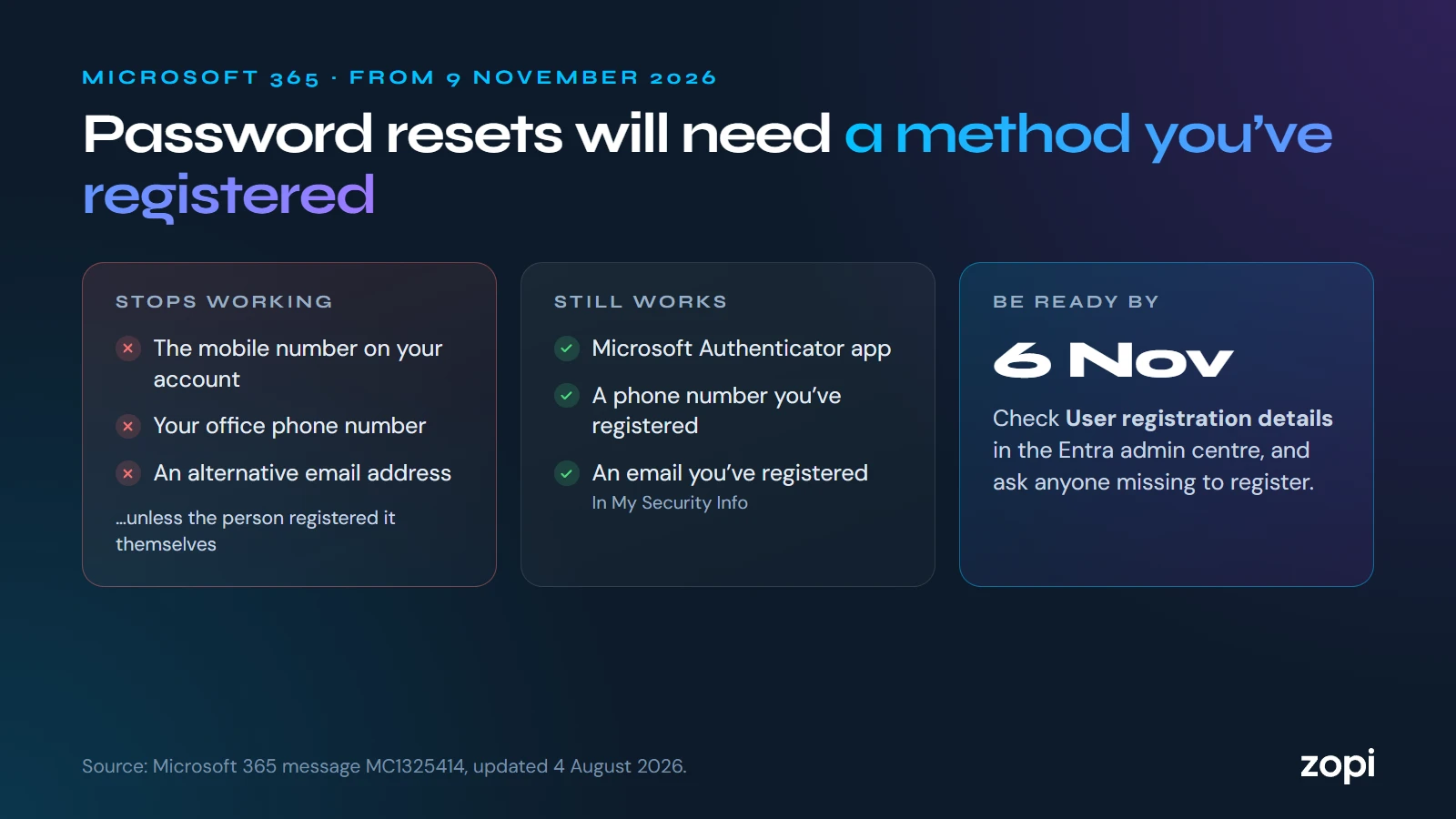
- Before: a reset could use the mobile number, office phone or alternative email on someone's account, set up by whoever created it.
- After: only methods the person has registered themselves count, such as the Microsoft Authenticator app, or a phone number or email they've added and confirmed in My Security Info.
Microsoft says about 86% of password resets already use registered methods. The other 14% will stop working.
Who it affects
Every business that lets staff reset their own passwords, and that includes administrators. Someone who hasn't registered won't be able to finish a reset: they'll be told to register or ask an administrator. It usually comes to light at the worst moment, like the first morning back after a holiday.
What to check this week
- See who has registered. In the Microsoft Entra admin centre, go to Authentication methods, then User registration details.
- Ask anyone missing to register. They go to My Security Info and add the Microsoft Authenticator app or a phone number. It takes a couple of minutes.
- Check your administrators too. Admin accounts are covered by the change, and a locked-out admin is the hardest one to fix.
- Make sure someone can reset passwords for the team, so anyone who gets stuck isn't left waiting.
Need a hand?
If Zopi looks after your Microsoft 365, ask us and we'll check who's registered and help anyone who isn't. Not with Zopi yet? Have a look at our managed IT support, which includes Microsoft 365, or call us on 0204 502 1288.