A domain that quietly expires, a website certificate that runs out, or an email setting nobody added: none of these announce themselves until something stops working, or until someone sends email pretending to be you. So Zopi now checks our clients' domains every week, and shows the results in the client portal.
What we check
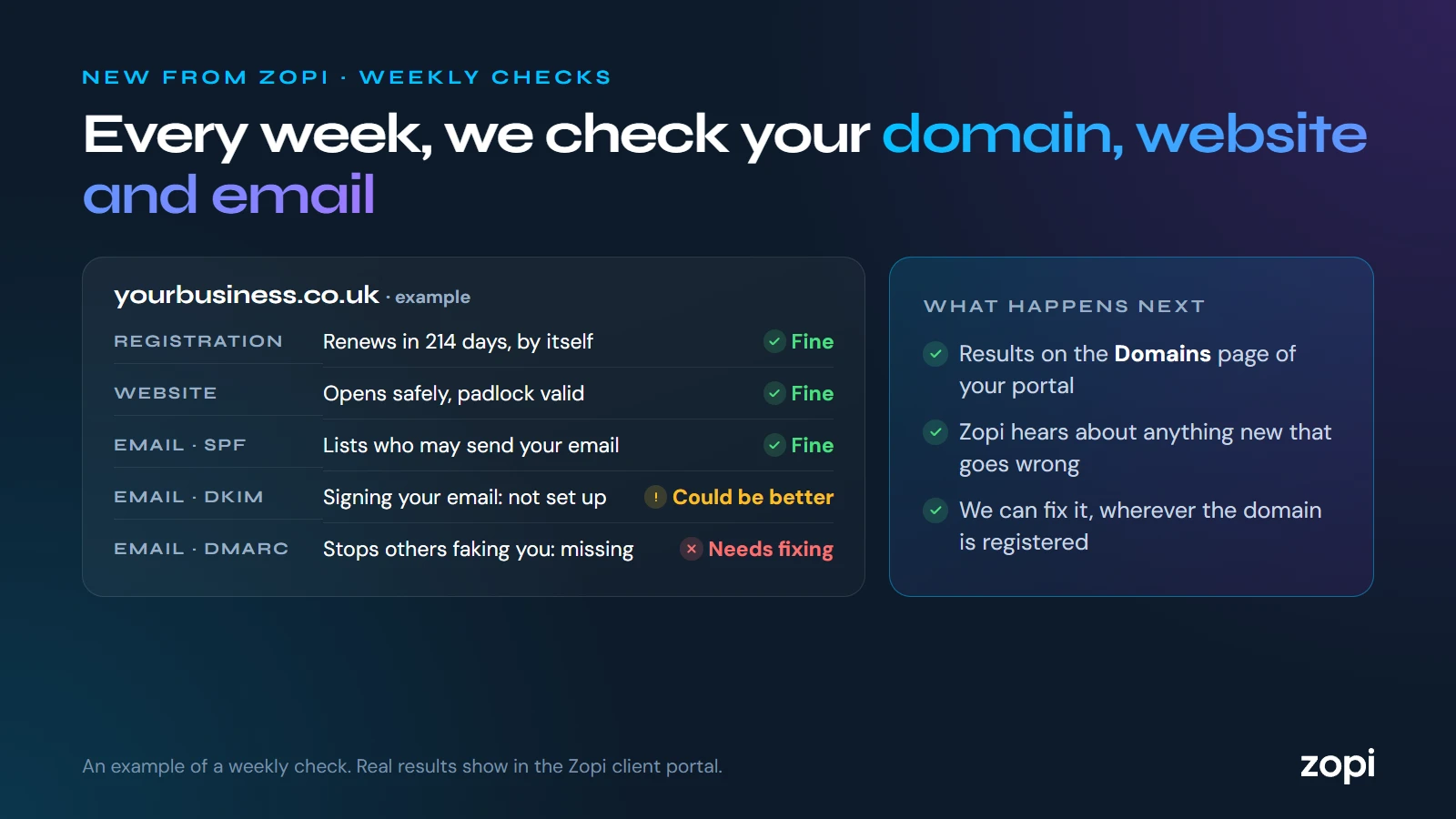
- Registration: when the domain renews, and whether it's set to renew by itself, so it never lapses by accident.
- Website: that it opens, and that its security certificate (the padlock in the browser) is valid and not about to run out.
- Email delivery: that your email settings point somewhere that exists, so email to you arrives.
- Email protection: the three settings that stop others sending email pretending to be you.
SPF, DKIM and DMARC, in plain English
- SPF lists the services that are allowed to send email from your domain.
- DKIM adds a signature to every email you send, so the receiver can tell it really came from you and wasn't changed on the way.
- DMARC tells everyone else what to do with email that claims to be from you but fails those checks: deliver it, send it to junk, or reject it.
Without them, it's much easier for a scammer to send an invoice or "change of bank details" email that looks like it came from your business. Google, Yahoo and Microsoft now expect anyone sending email in bulk to have these set up, and missing them can also send your own email to junk.
Where to see it
Sign in to the client portal and go to Domains, under Account. Anything marked Needs fixing or Could be better comes with a short description. Zopi hears about anything new that goes wrong, too, so we can get in touch first.
The checks work wherever your domain is registered, so you don't need to move it to Zopi. If you'd like to, see domain names with Zopi.
How Zopi can help
We can fix anything the checks find, from adding a missing DMARC record to renewing a certificate. Raise a support request in the portal and mention the domain, or call us on 0204 502 1288.