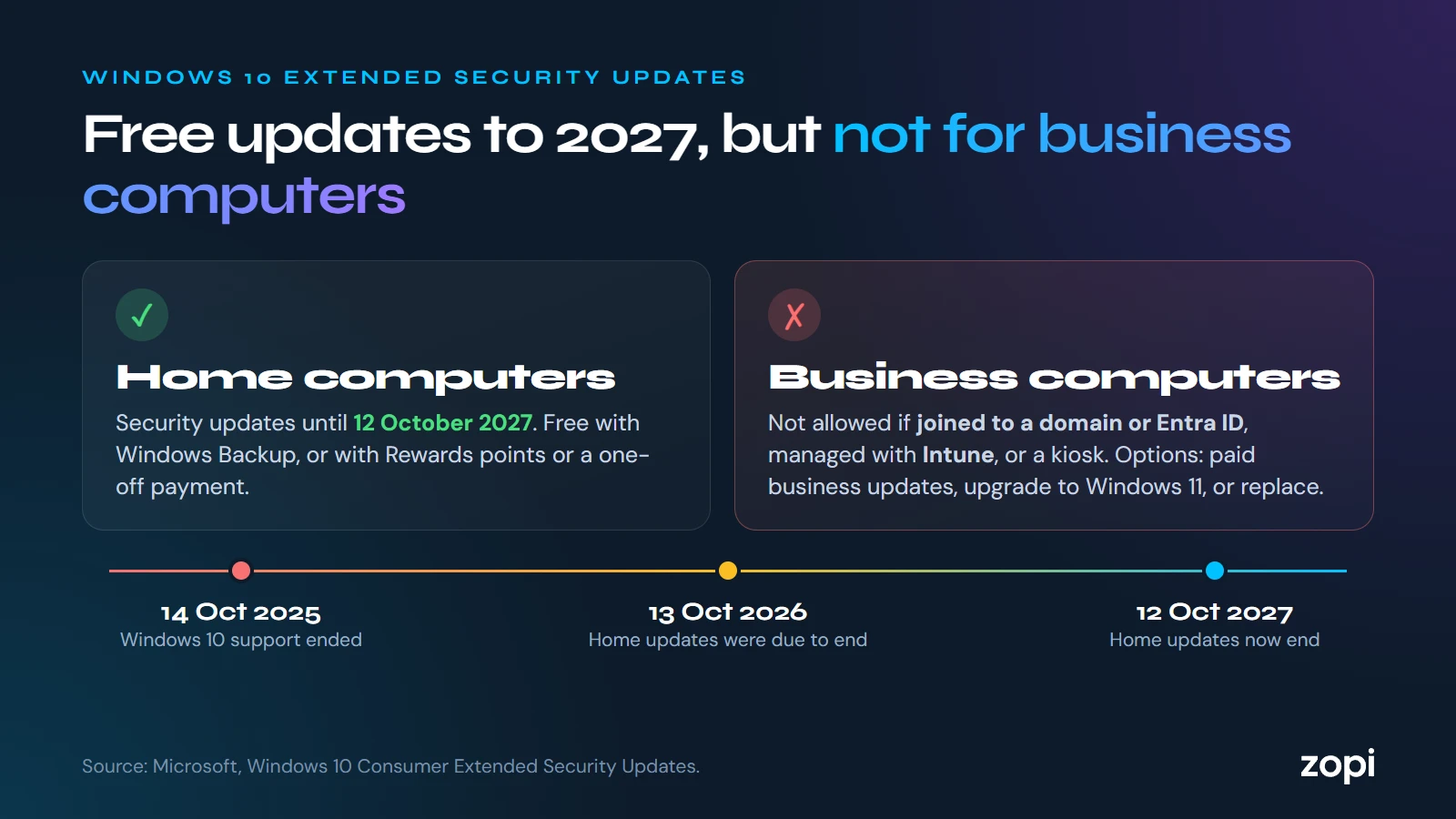
Windows 10 reached the end of support on 14 October 2025. Since then, the only way to keep getting security fixes has been Microsoft’s Extended Security Updates (ESU).
What’s changed
The ESU scheme for home users was due to end on 13 October 2026. Microsoft has now extended it: its consumer ESU page says enrolled computers get security updates until 12 October 2027.
Home users can enrol in Settings → Update & Security → Windows Update, and it’s free if they sync their settings with Windows Backup. Otherwise it costs 1,000 Microsoft Rewards points, or a one-off payment ($30 in the US, or the local equivalent).
Why it doesn’t help most businesses
Microsoft is clear that the consumer scheme can’t be used in commercial scenarios. It also isn’t offered to computers that are:
- joined to a company domain (Active Directory) or Microsoft Entra ID
- managed with a device management tool such as Intune
- set up as kiosks
That covers most computers a business manages. For them, the options are:
- Business ESU, bought per computer through Microsoft’s business licensing. It costs more each year, and it only covers security fixes: no new features and no help from Microsoft
- Upgrading to Windows 11, which is free on computers that meet its requirements
- Replacing computers that can’t run Windows 11
Running Windows 10 with no updates
A Windows 10 computer without ESU has had no security fixes for a year. With more than 1,400 flaws fixed in October alone, many of which will also affect Windows 10, those computers are getting less safe every month. They may also fall short of what cyber insurers, customers and Cyber Essentials expect.
What to do
- List every computer still on Windows 10: Settings → System → About shows the version
- Check which can run Windows 11: Microsoft’s PC Health Check app tells you
- Upgrade the ones that can, and plan to replace the ones that can’t
- Use business ESU only to buy time for the replacements, not as a long-term plan
How Zopi can help
We can check which of your computers can move to Windows 11, upgrade them for you, and source and set up replacements: see managed IT support and our pricing. Call us on 0204 502 1288.
Sources
- Windows 10 Consumer Extended Security Updates, Microsoft
- Microsoft gives Windows 10 users an unexpected extra year of free security updates, Help Net Security, 26 June 2026