Halloween is about things that hide in the dark and jump out when you least expect them. Most cyber attacks on small businesses work the same way: something that's been quietly waiting, like an old password, a forgotten account or a computer that stopped updating months ago. Here are five worth hunting down before they find you.
1. The email in disguise
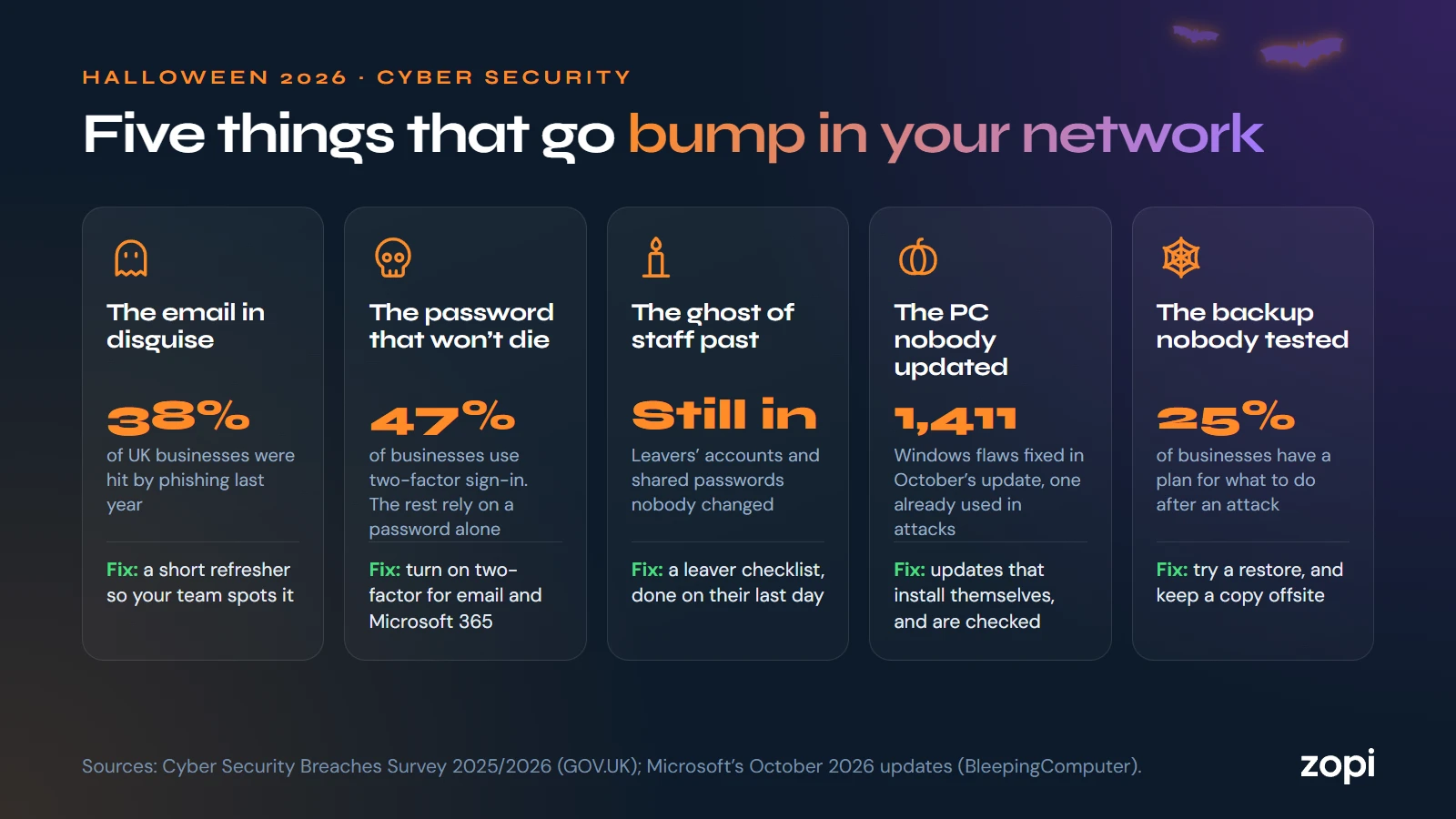
Phishing is still the most common way in. The government's latest Cyber Security Breaches Survey found 38% of UK businesses were hit by phishing in the past year, far more than any other kind of attack. The emails look like an invoice, a parcel delivery or a message from Microsoft, and one click can hand over a password.
What to do: give your team a short refresher on what to look out for, and make it easy to ask "is this real?" before they click.
2. The password that won't die
Passwords get reused, written down and leaked in other companies' breaches, and then they keep working for years. Only 47% of businesses use two-factor sign-in, which stops a stolen password being enough on its own.
What to do: turn on two-factor sign-in for email, Microsoft 365 and anything else that offers it.
3. The ghost of staff past
When someone leaves, their email account, their access to shared files and the shared passwords they knew can all stay live long after their last day. Nobody notices until something goes wrong.
What to do: keep a simple leaver checklist and work through it on their last day: close or hand over their accounts, and change any passwords they knew.
4. The PC nobody updated
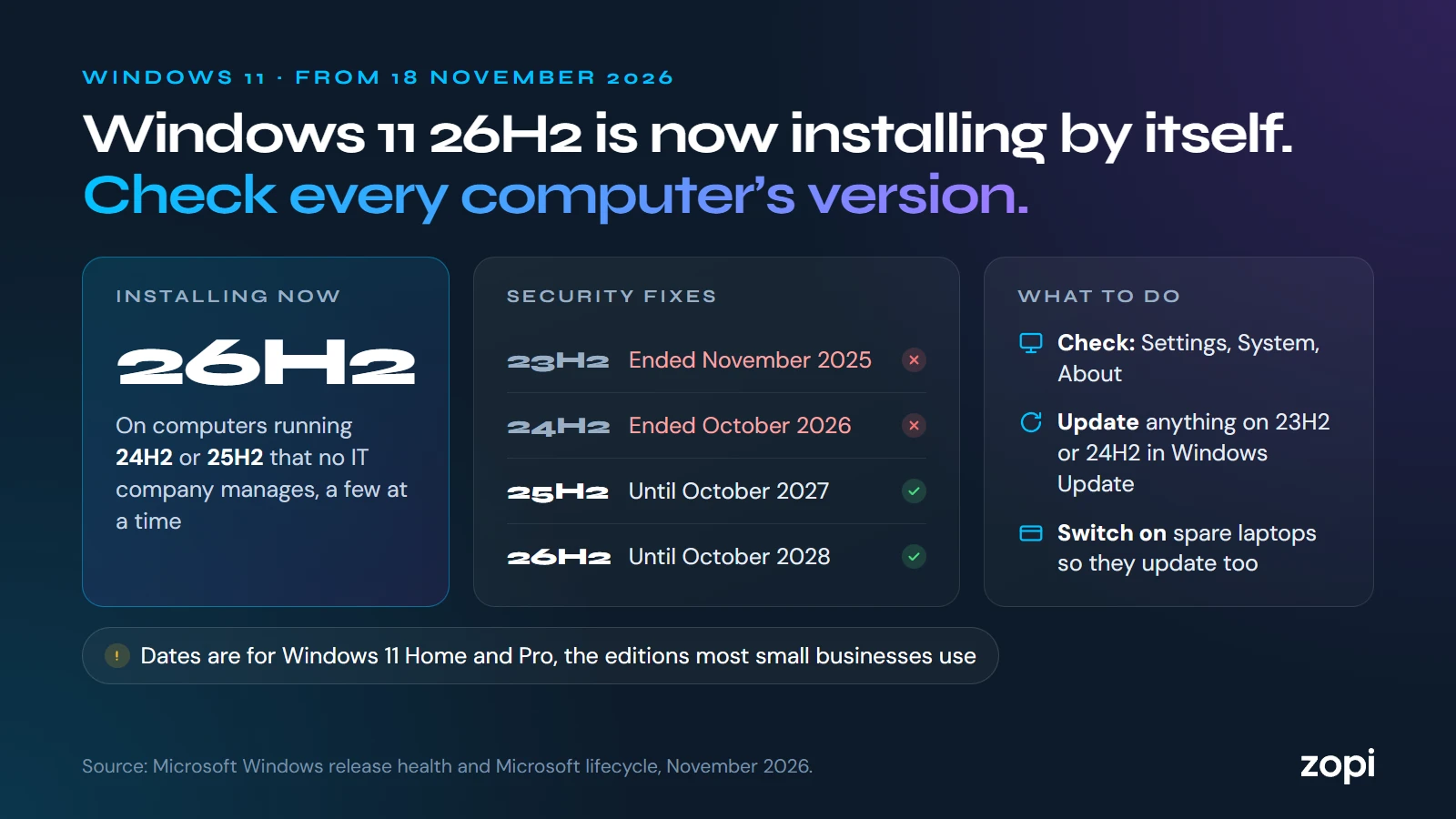
October's Windows updates fixed 1,411 security flaws, the most ever in one month, and one was already being used in attacks. A computer that hasn't installed its updates still has every one of those holes. Older versions of Windows have stopped getting updates altogether, so check yours: see our posts on October's updates and Windows 11 24H2.
What to do: set updates to install themselves, and check every so often that they really have, on every computer and server.
5. The backup nobody tested
A backup only helps if it restores. Plenty of businesses find out theirs was incomplete, or was wiped by the same attack, on the day they need it. Only 25% of businesses have a plan for what to do after an attack.
What to do: try restoring a file every so often, keep one copy offsite where ransomware can't reach it, and write down who to call and what to do first.
How Zopi can help
Our managed IT support includes patch management, so computers and servers stay updated. Our cybersecurity service covers two-factor sign-in and phishing training for your team, and our backup service keeps an encrypted copy offsite that can be restored when you need it. Call us on 0204 502 1288 for a free, no-obligation chat. No tricks, just treats.
Sources
- Cyber security breaches survey 2025/2026, Department for Science, Innovation and Technology, GOV.UK, 30 April 2026
- Microsoft's biggest ever update fixes a Windows flaw already being used in attacks, Zopi News, 20 October 2026